



With an international eSIM,
all you need is your smartphone.
Available in over 200 countries and regions
Provided by GLOBAL WiFi,
trusted by over 25 million users※
*Number of WiFi router rental service users for the entirety of Vision Inc. (as of July 2026)
Search all countries & regions
-

Japan -

United States -

Italy -

Australia -

United Kingdom -

New Zealand -

France -

Spain -

Switzerland -

South Korea -

Germany -

Hong Kong -

Thailand -

Brazil -

Singapore -

Philippines -

Taiwan -
India -
China -

Vietnam
-
Japan -
Australia -
New Zealand -
Malaysia -

Indonesia -
Cambodia -

Bangladesh -
South Korea -

Azerbaijan -

Tajikistan -

Tonga -
Fiji -

Bhutan -

Vanuatu -
Papua New Guinea -

Maldives -

Samoa -

Armenia -
Hong Kong -

Kazakhstan -

Brunei Darussalam -

Georgia -

Laos -

Kyrgyzstan -

Nepal -

Mongolia -

Oman -

Uzbekistan -

Afghanistan -

Sri Lanka -

Pakistan -

Macau -

Guam -
Saipan -
Thailand -
Singapore -
Philippines -
Taiwan -
India -
China -
Vietnam -

Southeast Asia Tour(14 Countries) -

Tahiti -
Rota -
Tinian -

New Caledonia
-
Europe(36 Countries) -

Azores -
Italy -
United Kingdom -
France -
Spain -
Switzerland -
Germany -

Iceland -

Ireland -

Andorra -

Gibraltar -

Estonia -

Austria -

Netherlands -

Canary Islands -

Cyprus -

Greece -
Croatia -

San Marino -

Sweden -

Svalbard and Jan Mayen -

Balearic islands -

Slovakia -

Slovenia -

Czech Republic -

Denmark -

Turkey -

Norway -

Vatican City -

Hungary -

Finland -

Bulgaria -

Belgium -

Poland -

Portugal -

Madeira -

Malta -

Latvia -

Lithuania -

Greenland -

Liechtenstein -

Romania -

Luxembourg -

Albania -

Ukraine -

Republic of North Macedonia -
Serbia -

Faroe Islands -

Belarus -

Bosnia and Herzegovina -

Monaco -
Moldova -
Montenegro -

Jersey -

Kosovo
-
Brazil -

Mexico -

Puerto Rico -

Argentina -

Guadeloupe -

Aruba -
Anguilla -

Antigua and Barbuda -
Virgin Islands -

Saint Barthélemy -

Saint Martin (French part) -

French Guiana -

Martinique -

Uruguay -

Ecuador -

Guatemala -

Paraguay -

El Salvador -

Antilles -

Grenada -
Cayman Islands -

Colombia -
Nicaragua -

Jamaica -
Suriname -

Saint Kitts and Nevis -

Saint Vincent and the Grenadines -

Saint Lucia -
Turks and Caicos Islands -

Chile -
Costa Rica -

Bolivia -

Honduras -

Trinidad and Tobago -

Haiti -

Panama -
Bermuda -
Barbados -
Peru -
Montserrat -
Belize -

Curacao -

Venezuela -

Bahamas -

Dominica -

Saba
-

UAE -

Israel -

Iran -

Egypt -

Qatar -

Kuwait -

Saudi Arabia -

Bahrain -

Jordan -
Middle East Tour(4 Countries) -

Iraq -

Lebanese Republic -

Yemen
-

Algeria -

Ghana -

Gabon -

Madagascar -

Malawi -

Mauritius -

Uganda -

Cameroon -

Kenya -

Zambia -

Tunisia -

Democratic Republic of Congo -

Swaziland -

Seychelles -
Tanzania -

Chad -

Senegal -

Nigeria -

Réunion -

North Africa -

Mayotte -
South Africa -

Morocco -

Guinea -

Republic of the Congo -

Niger -

Burkina Faso -

Mozambique -

Republic of Benin -

Republic of Guinea-Bissau -

Central African Republic -

Cote d'Ivoire -

Sierra Leone -

Botswana -

Gambia -

Cabo Verde -

Kingdom of Lesotho -
Mauritania -

Republic of Liberia -

Republic of Mali -

Rwanda -

Sudan -

Togo
-
Japan -
Azores -
United States -
Italy -
Australia -
United Kingdom -
New Zealand -
France -
Spain -
Malaysia -
Indonesia -
Cambodia -
Bangladesh -
Switzerland -
South Korea -
Germany -
Azerbaijan -
Tajikistan -
Tonga -
Fiji -
Bhutan -
Vanuatu -
Papua New Guinea -
Maldives -
Samoa -
Armenia -
Hong Kong -
Kazakhstan -
Brunei Darussalam -
Georgia -
Laos -
Kyrgyzstan -
Nepal -
Mongolia -
Oman -
Uzbekistan -
Afghanistan -
Sri Lanka -
Pakistan -
Macau -
Guam -
Saipan -
Iceland -
Ireland -
Andorra -
Thailand -
Gibraltar -
Brazil -
Estonia -
Austria -
Netherlands -
Canary Islands -
Cyprus -
Greece -
Croatia -
San Marino -
Singapore -
Sweden -
Svalbard and Jan Mayen -
Philippines -
Balearic islands -
Slovakia -
Slovenia -
Czech Republic -
Denmark -
Taiwan -
Turkey -
Norway -
Vatican City -
Hungary -
Finland -
India -
Bulgaria -
Belgium -
Poland -
Portugal -
Madeira -
Malta -
Latvia -
Lithuania -
Greenland -
Liechtenstein -
Romania -
Luxembourg -
Albania -
Ukraine -
Republic of North Macedonia -
Serbia -
Faroe Islands -
Belarus -
Bosnia and Herzegovina -
Monaco -
Moldova -
Montenegro -
China -

North America Tour(3 Countries) -

Canada -
Saint Pierre and Miquelon -
Mexico -
Puerto Rico -
Argentina -
Guadeloupe -
Aruba -
Anguilla -
Antigua and Barbuda -
Virgin Islands -
Saint Barthélemy -
Saint Martin (French part) -
French Guiana -
Martinique -
Uruguay -
Ecuador -
Guatemala -
Paraguay -
El Salvador -
Antilles -
Grenada -
Cayman Islands -
Colombia -
Nicaragua -
Jamaica -
Suriname -
Saint Kitts and Nevis -
Saint Vincent and the Grenadines -
Saint Lucia -
Turks and Caicos Islands -
Chile -
Costa Rica -
Bolivia -
Honduras -
Trinidad and Tobago -
Haiti -
Panama -
Bermuda -
Barbados -
Vietnam -
Peru -
Montserrat -

South America Tour B(8 Countries) -
Algeria -
Ghana -
Gabon -
Madagascar -
Malawi -
Mauritius -
Uganda -
Cameroon -
Kenya -
Zambia -
Tunisia -
Democratic Republic of Congo -
Swaziland -
Seychelles -
Tanzania -
Chad -
Senegal -
Nigeria -
Réunion -
North Africa -
Mayotte -
South Africa -
Morocco -
Africa Tour(6 Countries) -
UAE -
Israel -
Iran -
Egypt -
Qatar -
Kuwait -
Saudi Arabia -
Bahrain -
Jordan -
Guinea -
Republic of the Congo -
Niger -
Burkina Faso -
Mozambique -
Republic of Benin -
Republic of Guinea-Bissau -
Belize -
Central African Republic -
Cote d'Ivoire -
Sierra Leone -
Curacao -

Hawaii -
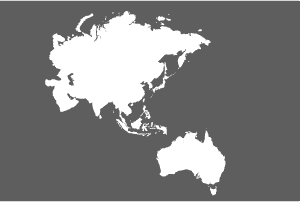
Asia・Oceania Tour C(15 Countries) -
Europe(36 Countries) -
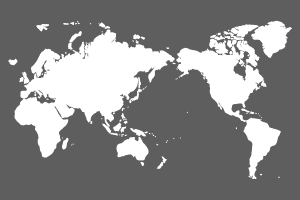
World Tour D(125 Countries) -
Middle East Tour(4 Countries) -
Southeast Asia Tour(14 Countries) -
Tahiti -
Botswana -
Gambia -
Rota -
Tinian -
Venezuela -
Bahamas -
Cabo Verde -
Dominica -
Iraq -
Jersey -
Kingdom of Lesotho -
Kosovo -
Lebanese Republic -
Mauritania -
New Caledonia -
Republic of Liberia -
Republic of Mali -
Rwanda -
Saba -
Sudan -
Togo -
Yemen


Why World eSIM is chosen
-
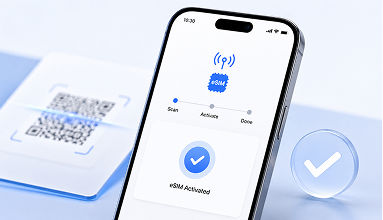
Smooth activation
Easy on your smartphone
-
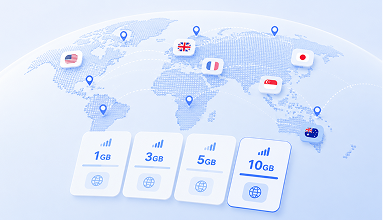
Plenty of plans
Choose by country & data
-
Contact us Online at Any Time
Available 24/7, 365 days a year
Why Choose an eSIM?
-
Zero risk of losing your SIM card
You can keep your current SIM card inserted in your phone. There's no hassle of switching out SIMs and no need to worry about losing your card.
-
Travel lightweight with just your smartphone
Carrying around a heavy device that needs to charge every night is a thing of the past. Lighten your luggage, and enjoy traveling in style.
-

Avoid long lines at the airport
Everything is handled online. Eliminate wasted time spent on picking up and returning physical cards before and after your trip.
-
Instant activation whenever and wherever you need!
Connect by just scanning a QR code. You can easily purchase more GBs on the go if you run out of data.
How is it different from a physical SIM card or a Wi‑Fi device?
No pick-up or return. Using just your smartphone, connecting to the Internet abroad is easier than ever.
| World eSIM | Wi‑Fi device | Physical SIM Card | |
|---|---|---|---|
| Pick-up & Return | No | Yes | Yes |
| More Luggage | Smartphone only | Extra device required | SIM management required |
| Charging Required | No | Yes | No |

No pick-up or return. Using just your smartphone, connecting to the Internet abroad is easier than ever.
Activating by App
-
STEP 1
Check Your Device
Make sure your smartphone is eSIM-compatible.
-
STEP 2
Order
Select your destination and plan
-
STEP 3
Set Up Your eSIM
Follow the instructions in the World eSIM app or in the email containing the QR code sent after your purchase.
-
STEP 4
Finish
Stay connected on your trip!
Choose a plan that matches your travel goals!
No pick-up or return. Using just your smartphone, connecting to the Internet abroad is easier than ever.


Testimonials
4.6
※ iOS App
-
Instantly get internet with just my phone!

On my recent trip to the U.S., I assumed free WiFi would be enough, but it turned out to be a hassle. Constantly reconnecting wasted precious time. I found this service, signed up, and was online in 5 minutes—truly a game-changer!
-
Less luggage, more convenience for business trips!

I will continue to use eSIM for my international business trips, I like that I can buy more data when I have online meetings and less when I don't.
-
I use it every time for international travel!

I travel to Asia twice a month, so I love World eSIM’s easy setup. It’s my go-to for any destination, with instant top-ups as the cherry on top. I’ve already recommended it to friends!


FAQs
-
A
This service enables users to establish profile information on the SIM card integrated into their smartphones, facilitating Internet connectivity across different countries and regions. Unlike WiFi devices that require constant portability, smartphones equipped with this service offer a smarter solution for Internet access.
Please note that this service is not available except SIM-free or SIM-unlocked eSIM compatible smartphones. -
A
An EID is required to activate an eSIM.
Open the Phone app and dial *#06#.
Your device can use World-eSIM if the EID is displayed.Ensure that your device is also SIM-unlocked (SIM-free).
You can verify these details with the retailer where you purchased your device. -
A
You will receive the necessary eSIM setup information, including profile details, via email approximately 5 minutes after your purchase. The setup process typically takes around 5 minutes, and you will be able to use your eSIM immediately after the setup is complete.
Please be aware that this service is exclusive to the country plan you have purchased and cannot be utilized in any other country plan. -
A
A stable Internet connection is required for eSIM setup.
Setup timing depends on the plan you purchased.
For more details, please check the details of the purchased plan in My eSIM. -
A
Data transmission will be suspended or speed will be limited even within the purchased usage period.
You can access My Page from the World eSIM app or website to recharge additional data capacity within your usage period. -
A
You can make voice calls if the plan is labeled "Phone Number-Included".
Plans without a phone number are data-only, and you cannot make voice calls using a phone number.
Additionally, depending on the country, "Phone Number-Included" plans may not be available.
Please use internet calling features such as those available in LINE or Instagram, which are accessible through internet communication. -
A
Yes, tethering is available. Please refer to the following instructions:
For iOS:
- Go to "Settings" from the home screen and tap on "Cellular".
- Ensure that "Cellular Data" is set to the eSIM data plan, then tap on "Internet Sharing".
- Turn on "Allow others to connect". You can set a password from this screen.
- Tap "Turn on Wi-Fi" if you want to use tethering as WiFi.
*Please note that availability may vary depending on your device or the settings of the recipient.
For Android:
*The steps may differ based on your device.- Open the "Settings" screen of your device.
- Go to "Network & Internet", then tap on "Hotspot & Tethering".
- Tap on "Wi-Fi Hotspot" and toggle on "Wi-Fi Hotspot".
If the tethering setting is disabled or inaccessible, you may need to configure the APN settings manually.
Please refer to [STEP2] in "How to Set Up eSIM on Android" for instructions.
*Please be aware that it may not be available depending on your device or the recipient's settings.